
Building the home page
Build a Goodnews home page with the editor or the page builder, and set it as the front page.
Goodnews gives you two ways to build a home page: the standard WordPress block editor, or the bundled WPBakery Page Builder with Goodnews's own news-layout modules. Either produces a normal WordPress page, which you then set as your site's front page.
Set a static front page
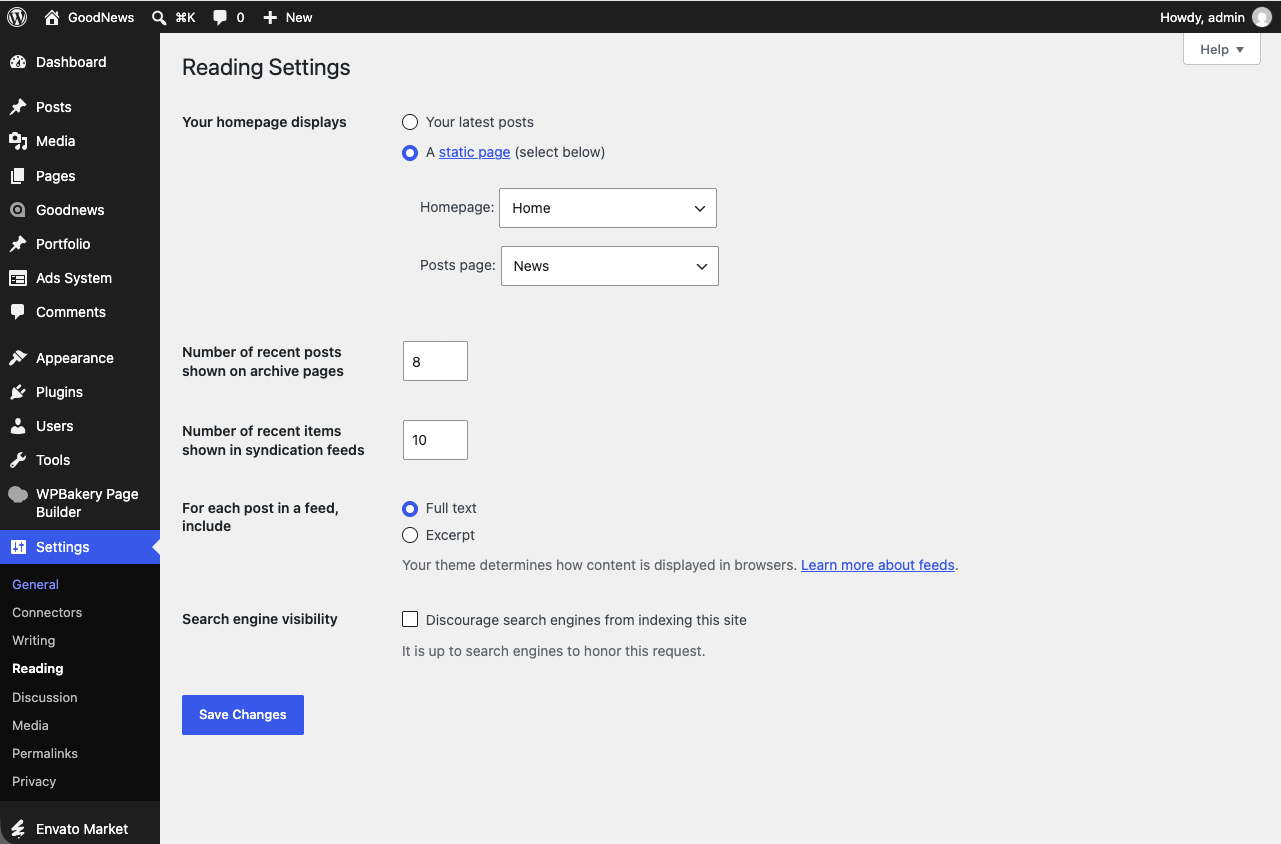
By default, WordPress shows your latest posts on the front page. To use a custom-built page instead:
- Create the page you want to use as your home page (see either method below).
- Go to Settings → Reading.
- Under Your homepage displays, choose A static page.
- Select your page from the Homepage dropdown.
- Save.
Building with the block editor
Create a new page and use standard WordPress blocks and Goodnews shortcodes together. This is the simpler route if you are not using WPBakery elsewhere on the site.
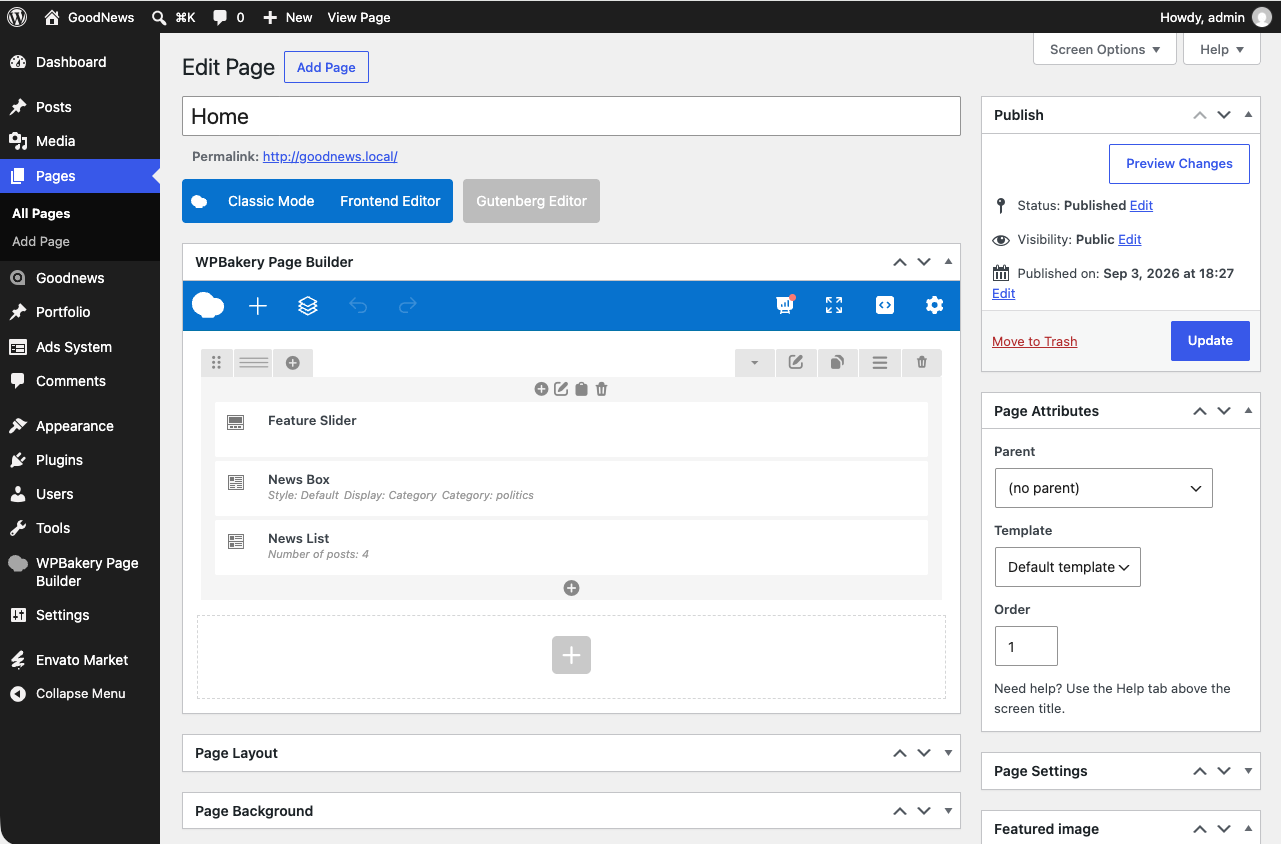
Building with WPBakery Page Builder
- Create a new page.
- Click Backend Editor or Frontend Editor to switch into WPBakery.
- Add rows and Goodnews's news elements — post grids, sliders, category boxes — from the element picker.
- Publish.

Related
See Shortcodes for the individual content blocks Goodnews adds, and The theme options panel for site-wide layout settings that apply everywhere, including the home page.