
The Goodnews widgets
What each of the twenty Goodnews widgets does and where it can be placed.
Goodnews adds twenty widgets, all listed under Momizat - in the widgets screen alongside WordPress's own. Add any of them to a sidebar or widget area the same way you add a core widget.
Content features in Goodnews 5.12.0 moved to the Goodnews Core companion plugin. See Installing the bundled plugins.
- Go to Appearance → Widgets.
- Find a Momizat - widget in the list.
- Drag it into the sidebar or widget area you want, or use the block editor's widget block picker if your site uses block-based widget areas.
- Configure its settings and save.
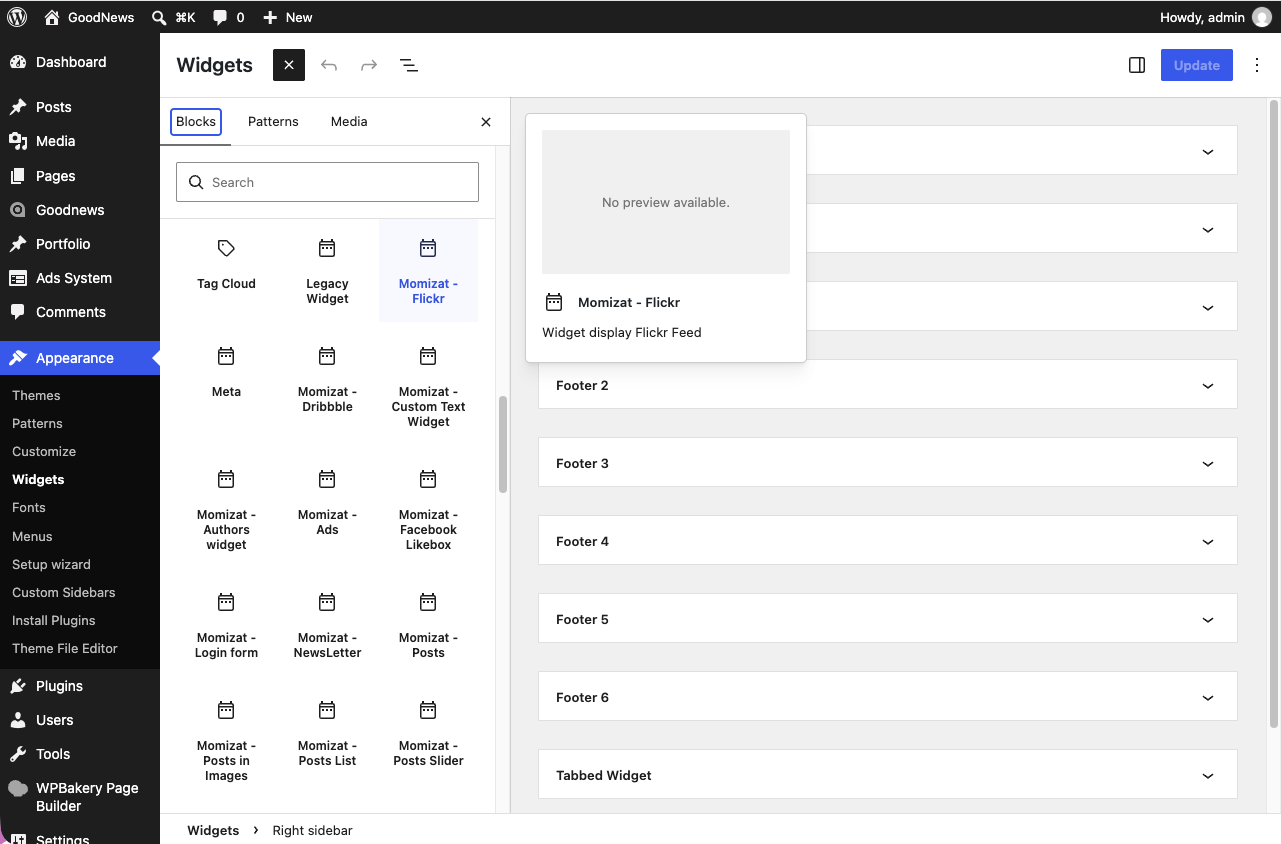
What each widget does
| Widget | What it displays |
|---|---|
| Authors | A list of the site's authors |
| Custom Text | Arbitrary text or HTML, on a transparent background |
| Dribbble | A feed of images from a Dribbble account |
| Facebook Likebox | A Facebook Page like box |
| Flickr | A feed of images from a Flickr account |
| Login form | A login form |
| Newsletter | A subscribe form, with optional Mailchimp integration |
| Posts | Posts ordered by popular, random, or recent |
| Posts Slider | The same, in a slider |
| Posts in Images | Posts displayed as a stack of images |
| Posts List | A simple list of posts, ordered by popular, random, or recent |
| Recent Comments | The site's most recent comments |
| Reviews | Posts ordered by top-rated, random, or recent, for review content |
| Social Counter | A follower/fan count from your connected social accounts |
| Social Icons | Icon links to your social network profiles |
| Tabbed Widget | Any other sidebar content, organized into tabs |
| Recent tweets | |
| Video | A featured video, from YouTube, Vimeo, or Dailymotion |
| Weather | Current weather for a location you configure |
| Ads | Any ad, placed in a widget area |