
Translating the theme
Translate Goodnews into another language using the catalogues the theme ships.
Goodnews's interface text — labels, buttons, and messages the theme outputs — is translatable using WordPress's standard translation files. The theme ships translation catalogues for several languages already, and you can add your own or edit an existing one, entirely from inside wp-admin.
Translation files, and where they are
The theme's translation files are in the languages folder inside goodnews5, as pairs of .po (editable) and .mo (compiled) files — one pair per language. A .po file's translations only take effect once they are compiled into its .mo file; the tool in this guide does that automatically every time you save.
Install Loco Translate
Loco Translate is a free plugin from the WordPress.org plugin directory that edits .po/.mo translation files inside wp-admin — no desktop software, no downloading or uploading files by hand.
- In wp-admin, go to Plugins → Add New Plugin.
- Search for Loco Translate, install it, and activate it.
- A new Loco Translate menu appears in the wp-admin sidebar.
Correcting an existing translation
- Go to Loco Translate → Themes and select Goodnews.
- Under Language files, choose the language you want to fix or complete — Arabic, Bulgarian, Italian, Spanish or Turkish ship with the theme.
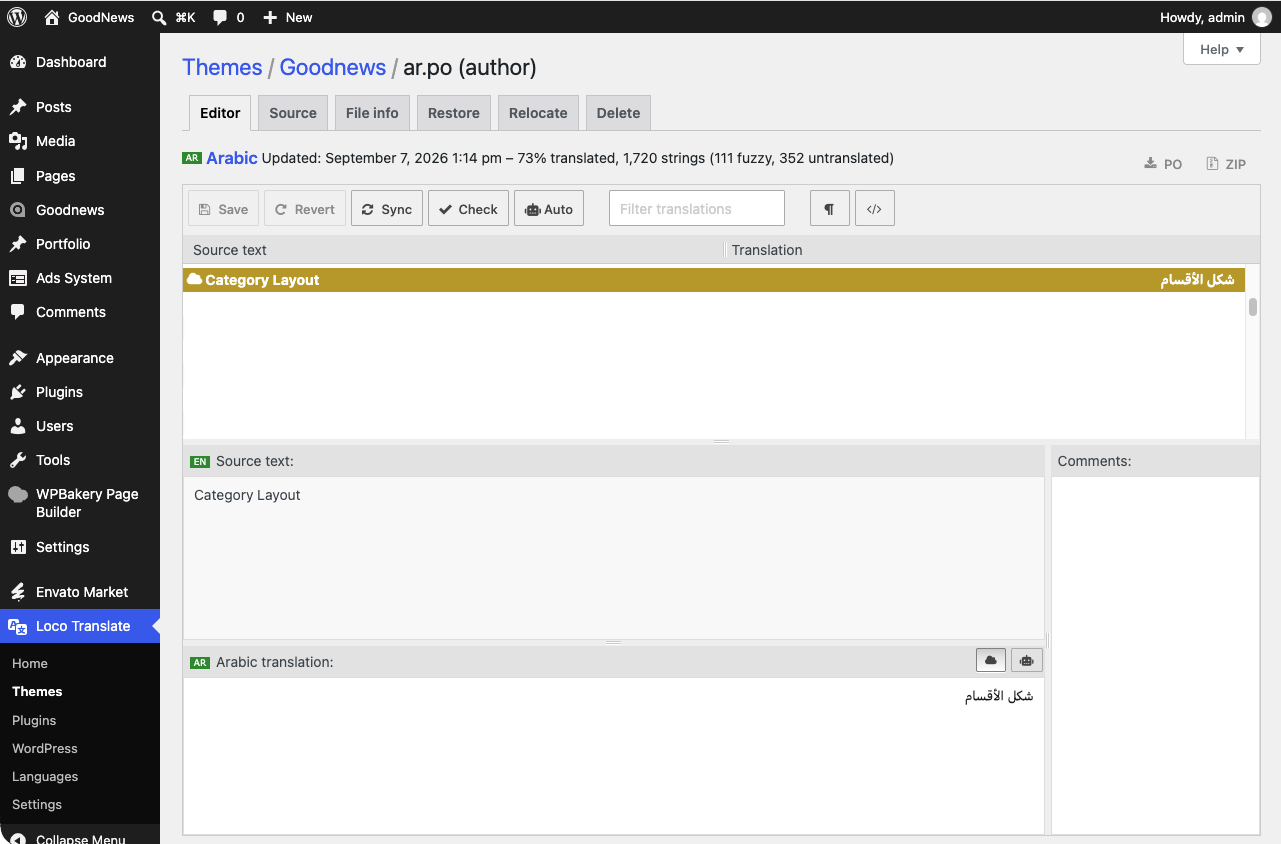
- Loco opens its editor: source text on the left, your translation on the right. Click a row, type the correction, and press Save. Loco recompiles the
.mofile for you — there is no separate compile step.
Translating into a new language
- Go to Loco Translate → Themes → Goodnews and click New language.
- Choose your language from the list, or enter a custom locale code.
- Under Choose a location to save, pick Custom, and save inside
wp-content/languages/themes/rather than inside the theme's ownlanguagesfolder. - Translate each string in Loco's editor and save.
- Set your site's language to match, under Settings → General.
Related
See Arabic and right-to-left sites for the current state of the theme's own Arabic translation specifically.