Site and page layouts
Set the site-wide layout and override it for an individual page or post.
Goodnews has multiple sidebar and layout options, set once for the whole site and overridable per page or post.
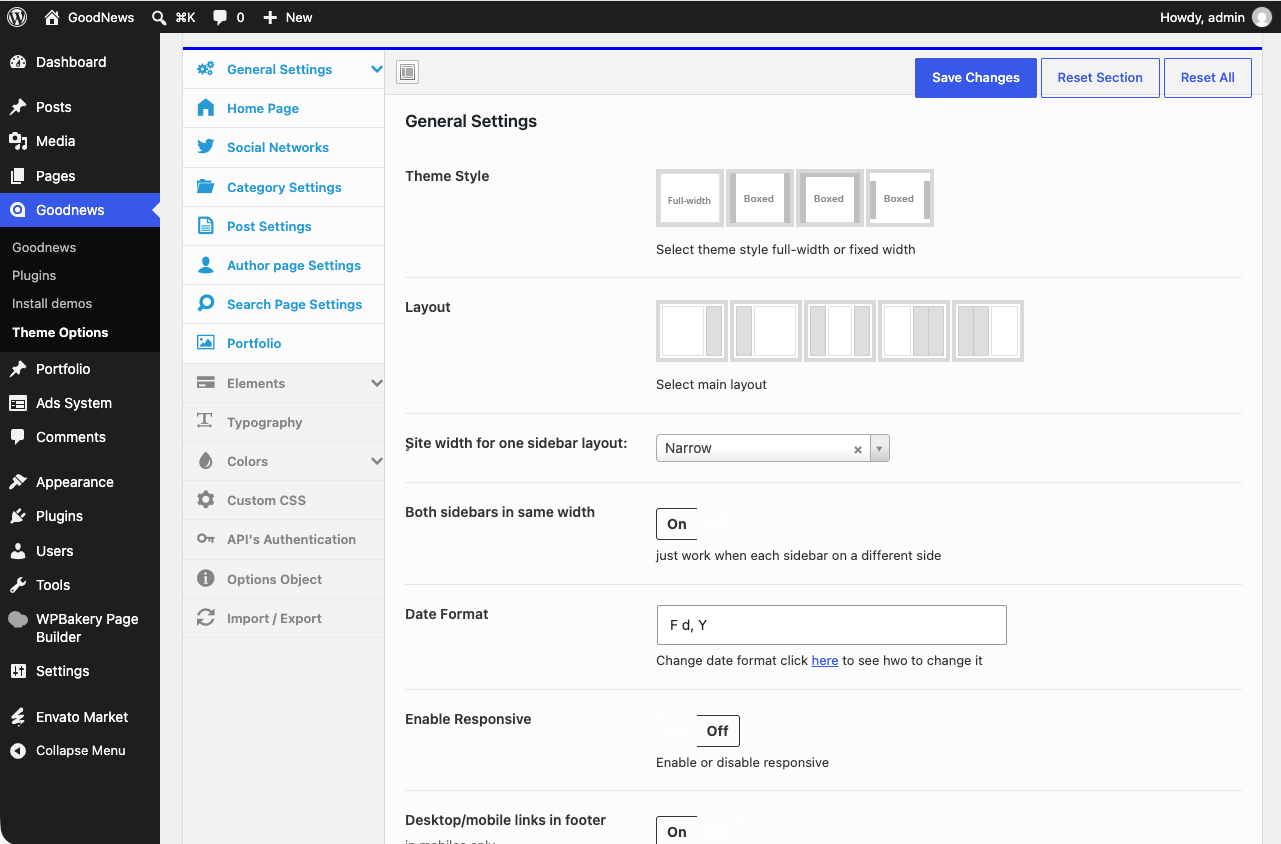
Setting the site-wide layout
- Go to Goodnews → Theme Options → General settings → Layout.
- Choose your layout — full width, left sidebar, right sidebar, or both sidebars.
- Save.
This becomes the default for every page and post that does not set its own override.
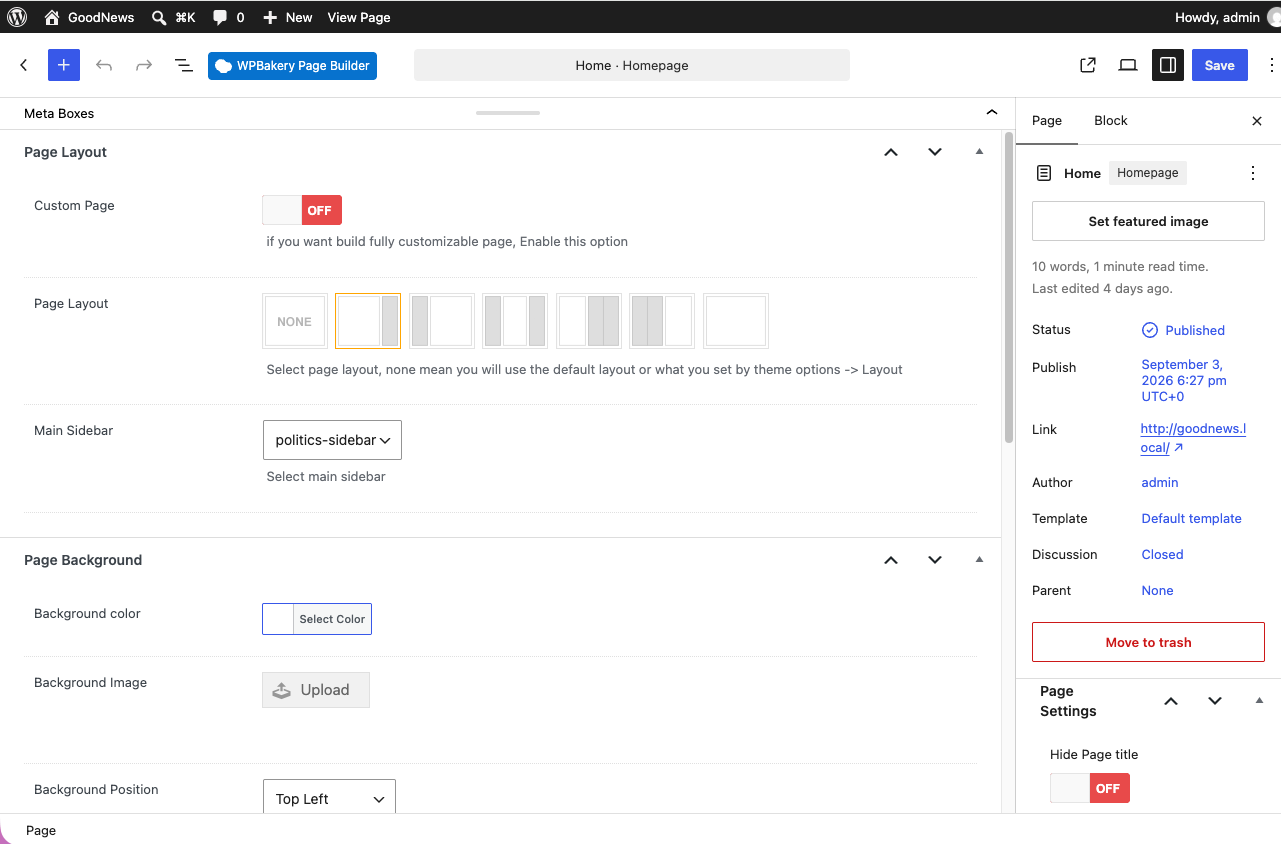
Overriding a single page or post
- Open the page or post editor.
- Below the content editor, find the Page Layout box.
- Select a custom layout for this page only.
- If you want a specific sidebar rather than the default, choose one here too — see Creating custom sidebars.