
The review system
Turn any post into a review, set the criteria and choose how the score is displayed.
Any Goodnews post can be turned into a review, with a scored summary box that renders above or below the post content.
Adding a review to a post
- Open the post editor.
- Below the content editor, find the Review box.
- Add one or more criteria — a label and a score for each, such as "Design" or "Value for money."
- Set a title and a short summary for the review box.
- Publish or update the post.
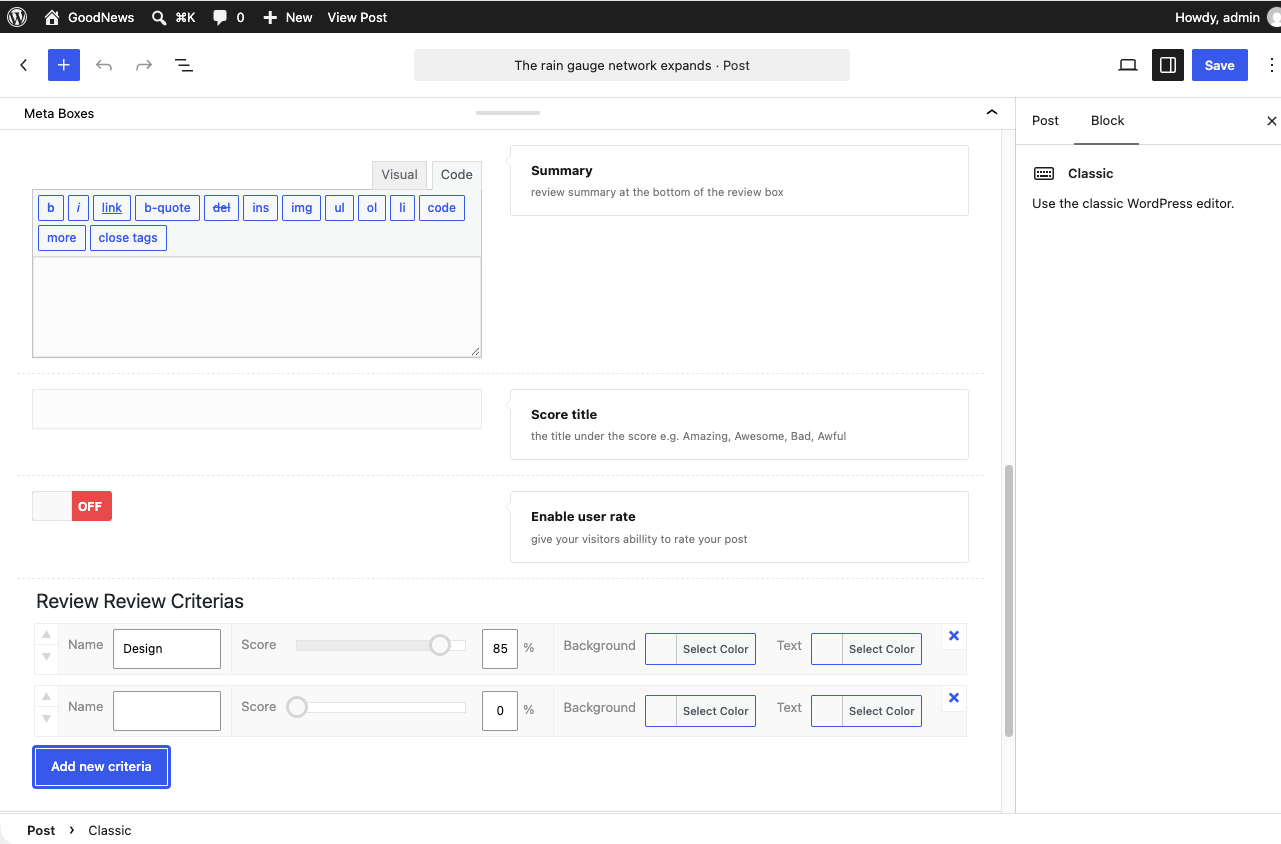
Goodnews calculates an overall score from the criteria you add and displays it alongside them on the published post.

Reader ratings
Goodnews also supports a reader-submitted rating alongside your own editorial score, shown separately on the same post.
Related
See Post formats for the formats a review post can use, and Widgets for the Reviews widget, which lists your top-rated review posts.